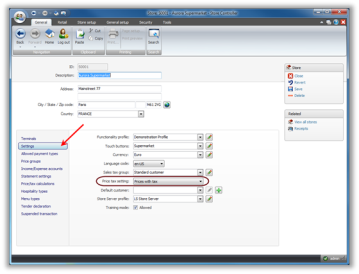
The default configuration for the LS POS is that the price does not include tax. However, each store can be configured so that the price in the LS POS either includes tax or does not.
The stores in the Demo Data company are set up so that LS POS prices for items are prices including tax.
To configure the store for prices with or without tax:
| Inserted: | 2nd July 2013 |
| Version: | LS Retail .NET 2012 |

Copyright © 2015 LS Retail ehf. All rights reserved.
